
Your thoughts, laid out and sorted.
Write, put inside, line up. Doline is a simple outliner (a logic-tree notebook) that organizes your thoughts as cards with items inside. Trip plans, project ideas, anything on your mind: write it in the order it comes.
Write
Press the + at the bottom right and put a thought on a card. Long text and line breaks are fine.
Put inside
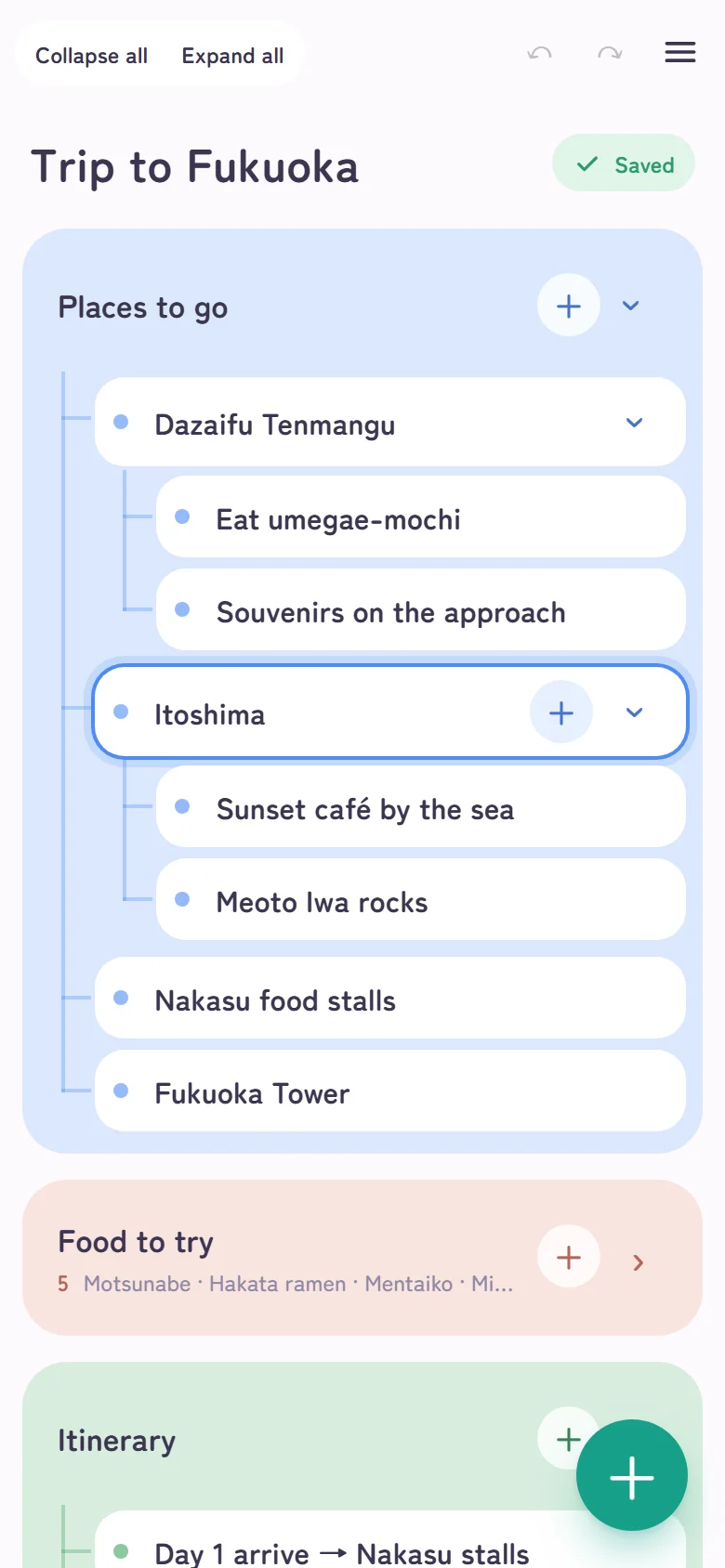
A card’s + adds an item inside. Items can hold items too, so it becomes a folder-like hierarchy.
Line up
Press and hold (drag on a PC) to put things in any order. Drop onto another card to move it inside. Collapse a card to see its contents in one line.
“Trip to Fukuoka”, on cards
Places, food, itinerary, packing list, budget. Everything that was tangled in your head becomes easy to see once it is split into cards.
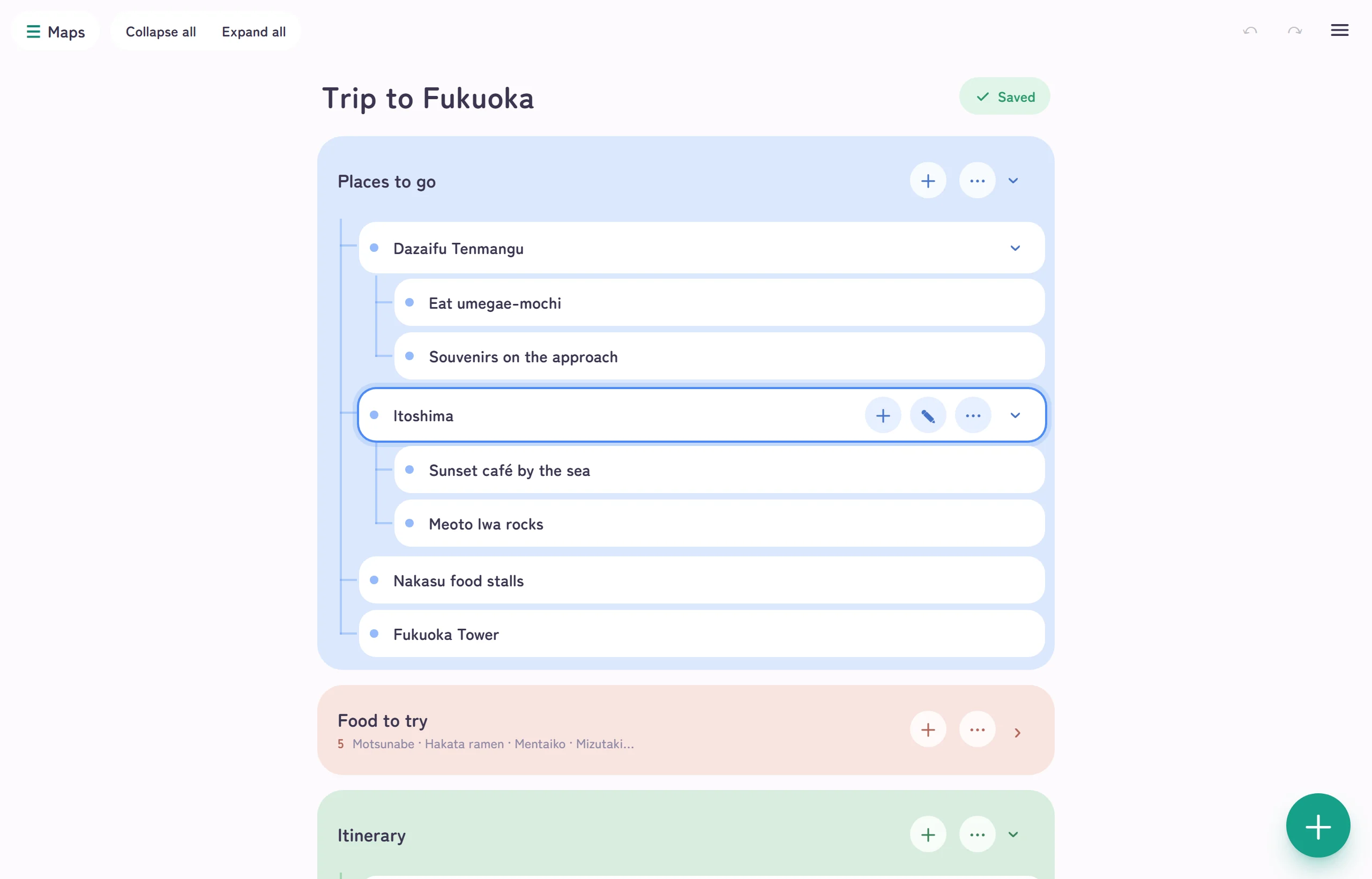
Inside Dazaifu: “eat umegae-mochi” and “souvenirs on the approach”. One more level of things to do inside each place.
Collapsed, it reads “5 · motsunabe · Hakata ramen · mentaiko…”, the whole card in one line.
On the day, open only the packing list and check things off. Afterwards the map becomes a memory of the trip.
Anything with steps belongs on cards
Things with an order, things you want to think about separately. Make the big items cards and put the small items inside.
Moving house
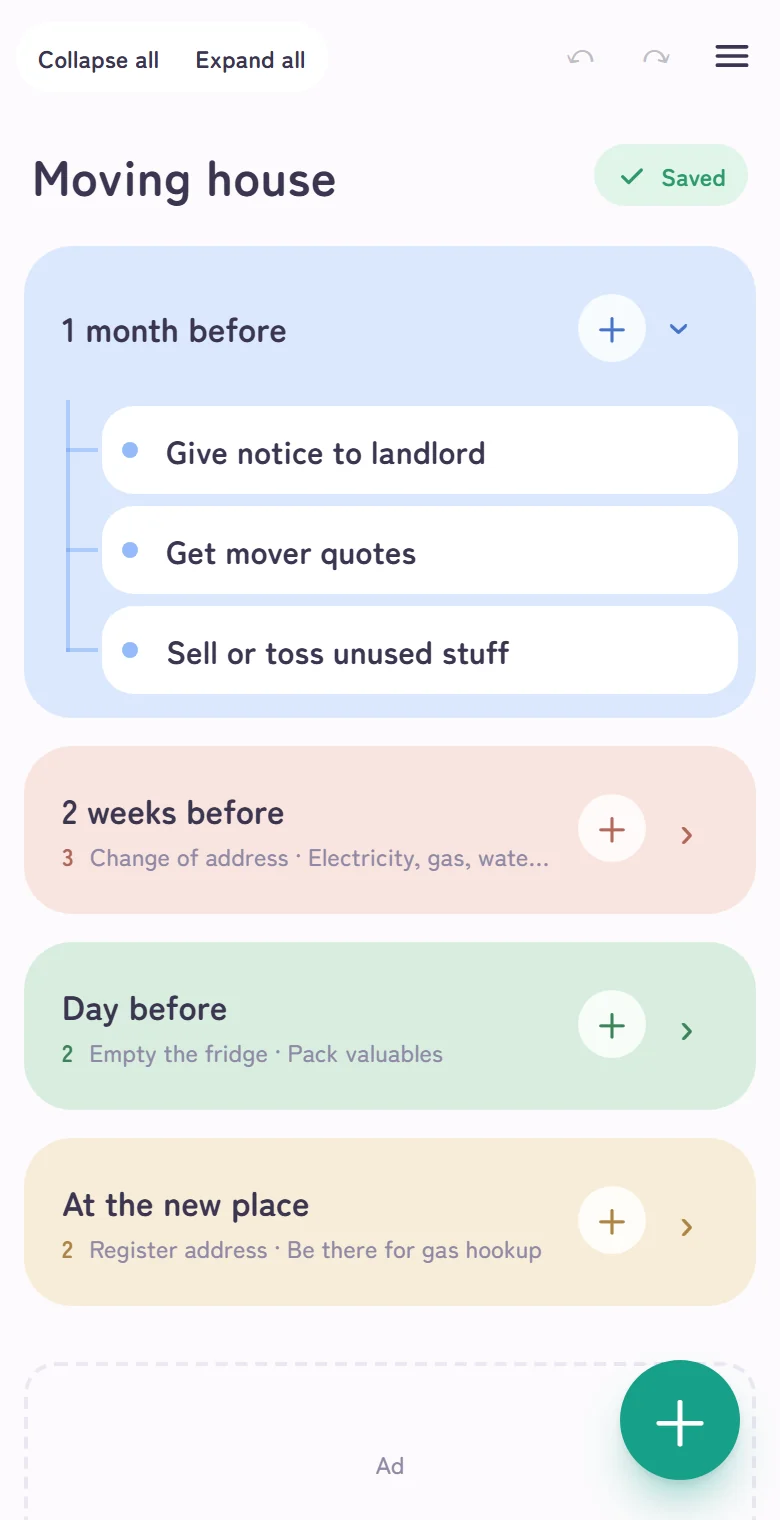
A month before, two weeks before, the day before, at the new place. One card per stage; collapse them as you finish.
Planning a video
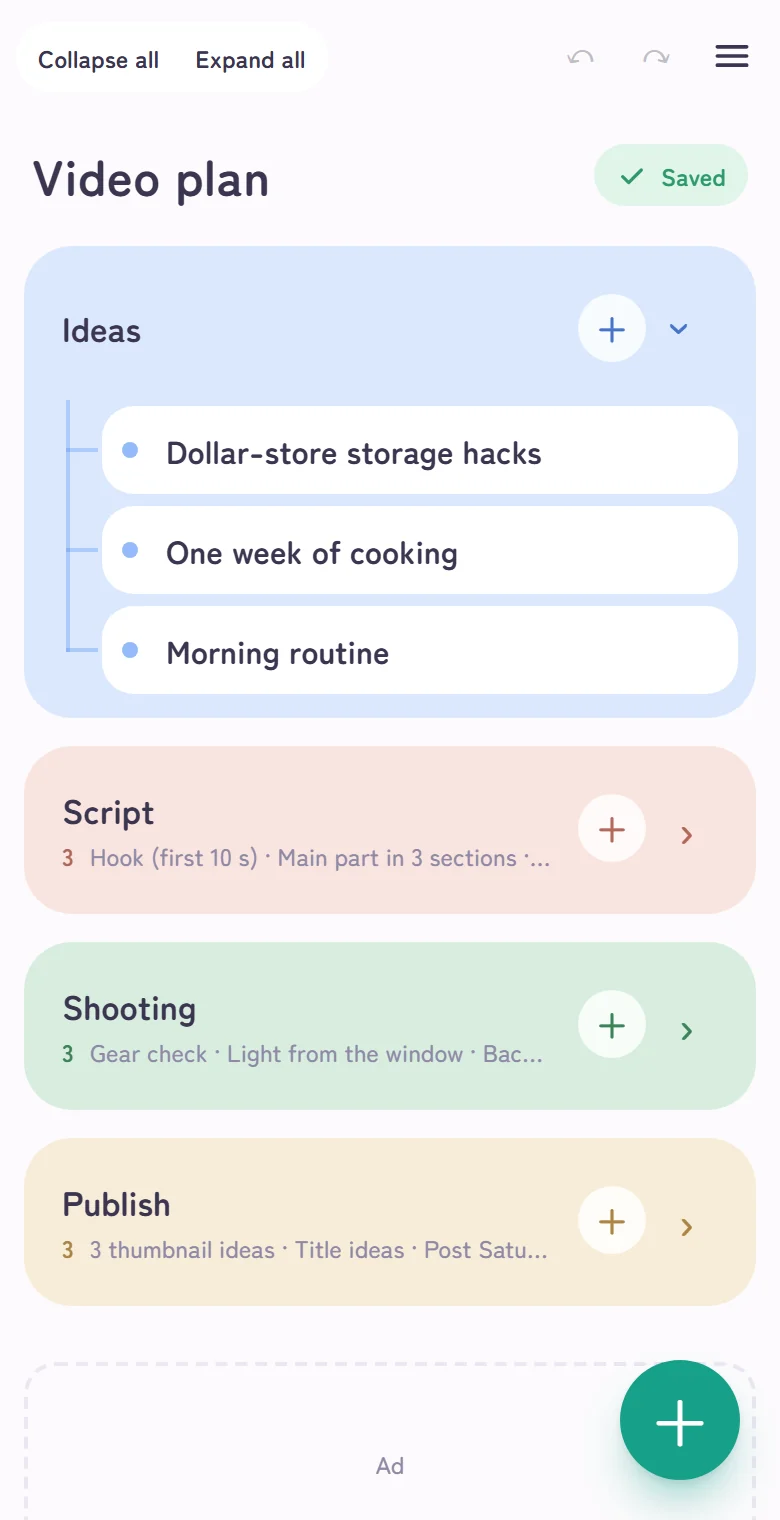
Ideas, script, shooting, publishing. Drop every idea onto a card first.
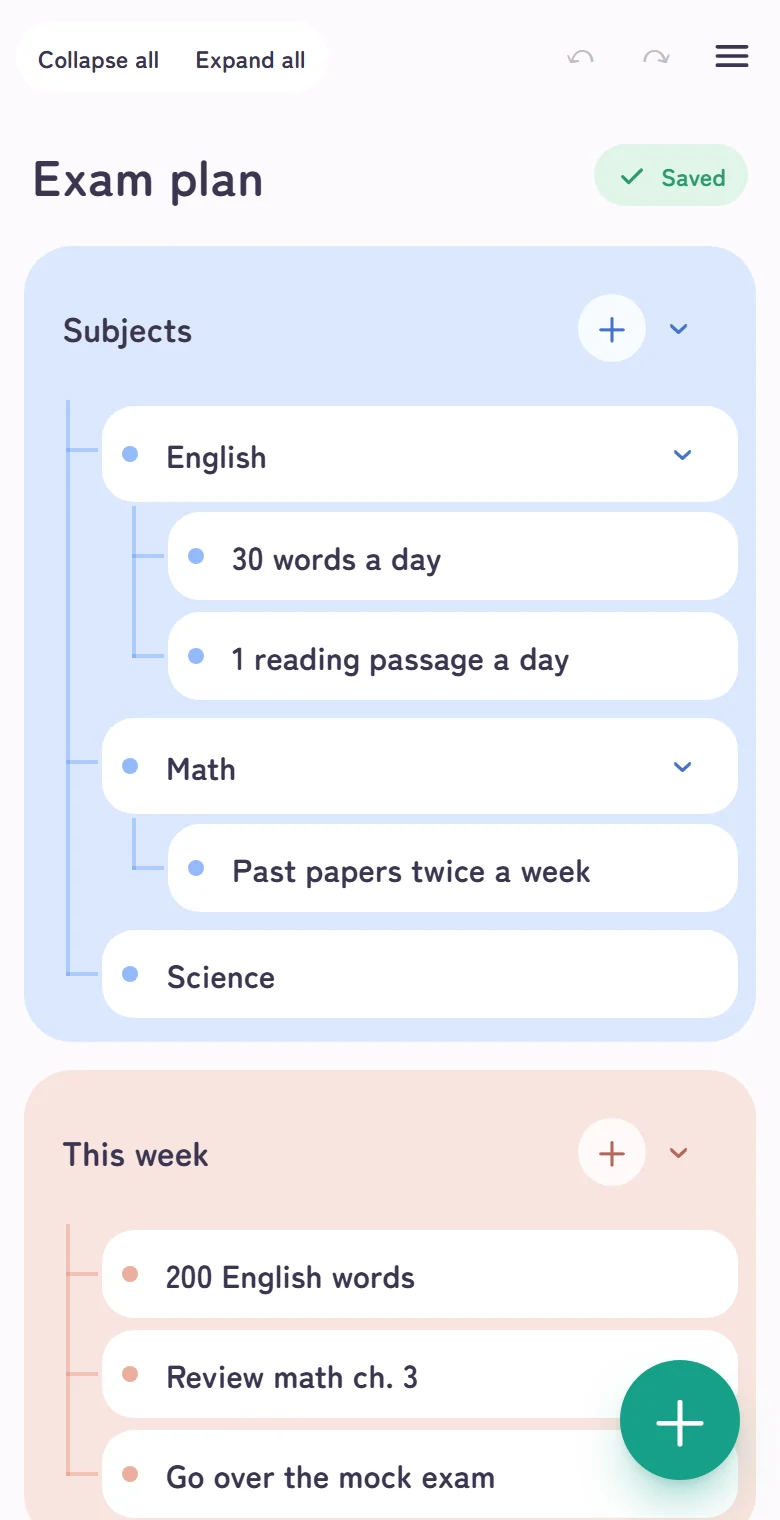
Exam preparation
Per subject: this week’s tasks and weak spots. When you can see what to do, you get going.
No manual needed
All you need: +, ›, and press-and-hold. The app follows your hands from there.
+ adds a card
Press the + at the bottom right and write. Tap outside when you are done.
A card’s + puts items inside
The + on the right of a card adds an item inside it. Select an item and press + to go one level deeper.
› collapses, press-and-hold moves
The › on the right expands and collapses. Press and hold (drag on a PC) to reorder; drop onto another card to put it inside.
Your writing stays on your device.
Doline has no server. What you write is kept in your browser. That is why there is no sign-up or login, and nobody else can read it.
The flip side: it is lost if you clear the browser data. Keep the maps you care about with Save as… (a file) or turn on Auto-save to Google Drive. Until then, a red “Unsaved” button sits next to the title, and one press saves it.
Still only on this device. Press to save as a file.
Kept as a file (green). Open it on another device.
Kept on Google Drive (blue). The same map on your phone and PC.
Small, light, anywhere
No sign-up. Open it and start writing.
Runs in the browser, nothing to install. Add it to your home screen and it opens like an app.
Once opened, you can write without a signal.
Eight soft pastel colors. Change them from the press-and-hold menu.
One file per map in your own Drive. The same maps even when you change devices.
One switch in the menu. Easy on the eyes.
A logic-tree notebook that sorts out your mind
As an everyday notebook
Tap the + in the corner and write whatever comes to mind on a card. Long text and line breaks are fine. When you notice two cards are about the same thing, press and hold to drop one inside the other. Collapse a card and its contents show as a one-line summary, so the list stays tidy no matter how many cards you add. Shopping notes, thoughts on a book, anything, in any order.
As a logic tree
Make a big question or goal one card, put its parts inside as items, and put concrete steps inside those. Card → item → item: the levels become your logic tree. Reorder by pressing and holding, collapse or delete branches you do not need. Unlike paper or a whiteboard, you can regroup as many times as you like.
Things you might wonder about
Is it really free?
Yes. No sign-up, no login. Open it and start writing.
What is an outliner?
A note-taking tool where you write thoughts as items and nest items inside items to organize them in levels. Doline shows the top-level items as cards and puts the rest inside each card as a tree.
Where is my writing saved?
First, in the browser on your device. Nothing is sent to a server. Because it is lost if you clear the browser data, keep the maps you care about with “Save as…” (a file) or turn on auto-save to Google Drive. Until then, a red “Unsaved” button sits next to the title.
Can I see the same map on my phone and PC?
Yes. Turn on “Auto-save to Google Drive” in the menu and the same maps open on your other devices through your own Google Drive. You can also save a file and open it on another device.
Does it work offline?
Once you have opened it, you can write without a connection. Saving to Google Drive happens when you are back online.
How do I use it on a phone?
The + at the bottom right adds a card; a card’s + adds an item inside. Press and hold, then drag to reorder; press and hold, then release to open the color and delete menu. Double-tap text to edit it.
Do I need to install an app?
No. It runs in the browser. Add it to your home screen and it opens like an app.
How is this different from note apps that require a login?
No account, no login. What you write stays in your browser and is never sent to a server. In return, keep the maps you care about by saving them to a file with a name, or by turning on auto-save to Google Drive.
Can I use it instead of a plain notepad?
Yes. A card can hold long text and line breaks as they are, so it works as a plain note without bullet points. Add levels only when you want them, with the + on the card.