

If you want a video sharper "just as it is," choose upscaling that fills in detail frame by frame without redrawing. Shaki Video enlarges your video 2x while AI fills in blurry outlines and fine patterns. The composition and people's faces stay based on the original video, and the audio is kept as is, with no re-compression.


An example of upscaling a 640×360 video 2x to 1280×720 (the same spot in the same frame, cropped at 100%). In the Shaki Video version, her face looks the same, and even her eyes, mouth and the pattern on her clothes are sharp.
AI upscaling is "super-resolution, one frame at a time"
When you watch a video on a big screen, the player or editing software enlarges it by smoothly filling in the gaps between pixels. That doesn't bring back the fine detail that was lost, so the bigger it gets, the blurrier it looks, and the outlines start to smear.
The super-resolution in Shaki Video is AI (Real-ESRGAN) that has learned, from many pairs of "blurry images" and "sharp images," how blur relates to the way things really look. It's the same AI as Shaki, the image tool, applied to each frame of your video. What appears where is still decided by your original video.
How to use Shaki Video
- Open Shaki Video, then drag and drop a video or click to choose one (MP4, MOV or WebM)
- Drag the two ends of the trim bar to set the range to upscale. You can check it with "Play this range"
- Click "Upscale." The AI model (about 2.4MB) loads the first time only
- When it's done, check the preview and click "Download." It's saved as an MP4, with the original audio

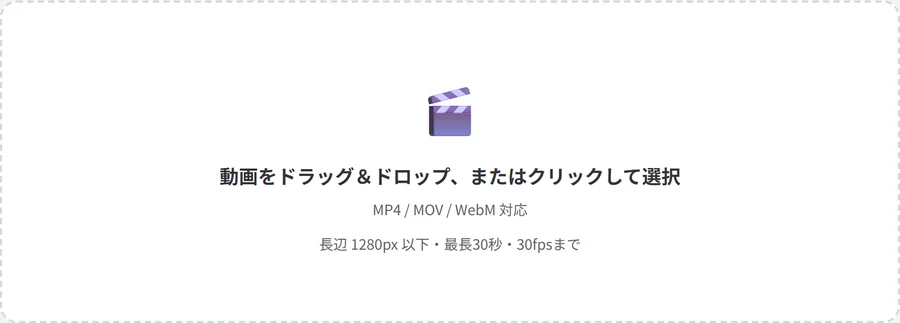
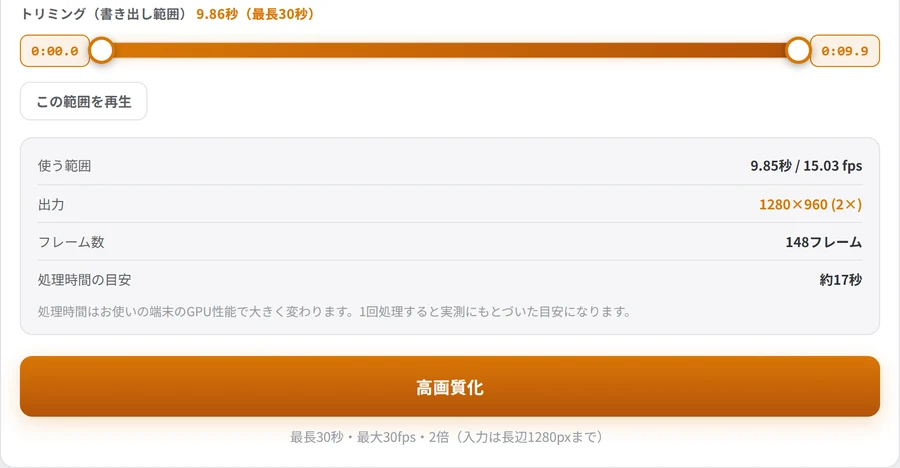
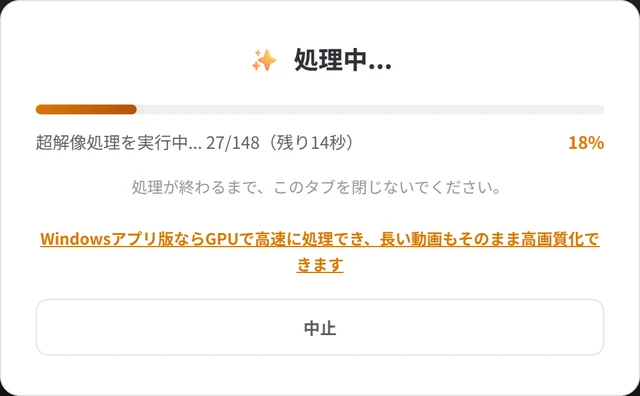
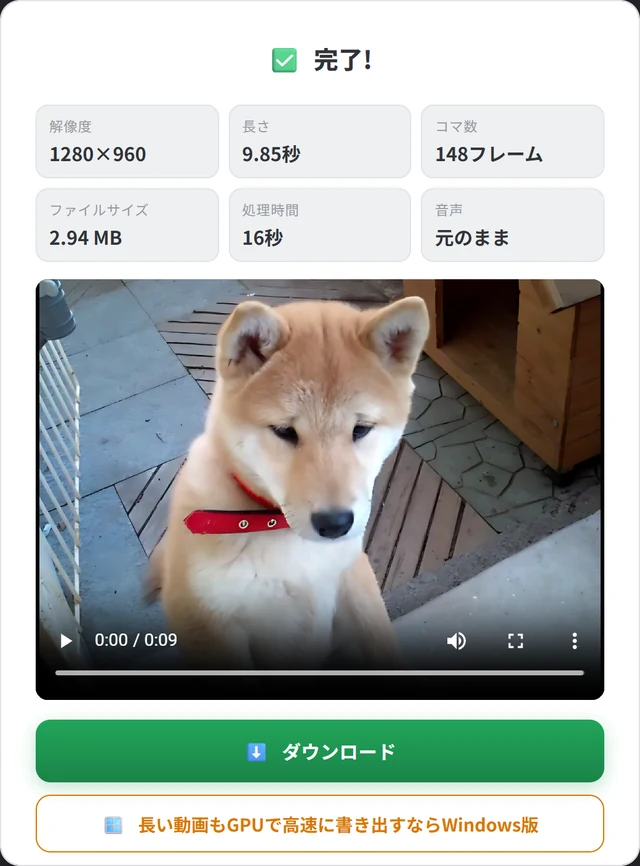
Videos that sharpen well, and ones that don't
Videos that sharpen well
- Low-resolution videos: videos shot on an old phone or camcorder
- Videos that got smaller: videos that shrank when you saved them from LINE, X (Twitter) or Instagram
- Videos blurred by light compression, and screen recordings: videos where smeared text and outlines stand out
Videos that don't sharpen as well
- Videos that are badly out of focus: it's hard for the AI to estimate "what it really looks like," so the change may be smaller than you expect
- Videos broken into blocks by heavy compression: it may pick up the broken patterns as detail, too
- Dark, noisy videos: it becomes hard to tell noise from detail
- Videos that are already high-resolution: Full HD-class videos already have plenty of detail, so the change is smaller
Free version limits, and how to upscale longer videos
- Length: up to 30 seconds on a PC and up to 10 seconds on a smartphone (choose the range with the trim bar)
- Size: input up to 1280px on the long side (720p). Larger videos are shrunk to 1280px, then upscaled 2x
- Scale: 2x (output up to 2560px)
- Frame rate: up to 30fps
- Browser: you need a browser that supports WebGPU: Chrome or Edge on a PC, or Safari 26 or later (iOS 26 or later on iPhone)
These limits are there so that your video isn't sent anywhere and processing finishes on your own device. For videos longer than 30 seconds, export them in several parts by changing the range, then join them in video editing software.
Which tool for which job: a quick guide
| What you want to do | Best pick | Why |
|---|---|---|
| Sharpen a small or blurry video | Shaki Video | Upscales 2x without redrawing faces or objects |
| Upscale a video you'd rather not show anyone | Shaki Video | Your video is never uploaded |
| Sharpen photos or images | Shaki | The same AI, enlarging images 2x or 4x |
| Make an upscaled video lighter for social media | Chidimeru | Shrinks it to the file size you choose |
| Turn a video into smooth slow motion | Suromeru | AI draws the frames in between (Shaki Video doesn't add frames) |
FAQ
Is it really free? Do I need to sign up?
Are my videos uploaded to a server?
Will upscaling make people's faces look like someone else?
What happens to the audio?
Does it work on phones?
How do I upscale a video longer than 30 seconds?
* For the example at the top, footage whose license allows editing and commercial use was shrunk to 640×360 and then processed with Shaki Video. The video in the how-to screenshots is one the author shot about 15 years ago (640×480).
About the author

Sharpen blurry videos without redrawing them
Shaki Video is free, with no sign-up. Your videos are never uploaded.