
You don't need all of them. Just pick the tools that fix the problem you have. A video exported from one tool can go straight into another. Any order works, but always use Chidimeru (shrink the file size) last.
- Sideways or upside down → Yokotate
- Something unwanted at the edge of the frame / want to trim the start and end without quality loss →
Torimeru
- Strangers' faces or license plates in the shot →
 Tsuibi Mozaru
 - You can hear conversations or names →
 Otokeshi
 - Wind or background noise is too loud →
Shizuka
- Too big to send →
 Chidimeru
Yokotate | Fix your video's orientation
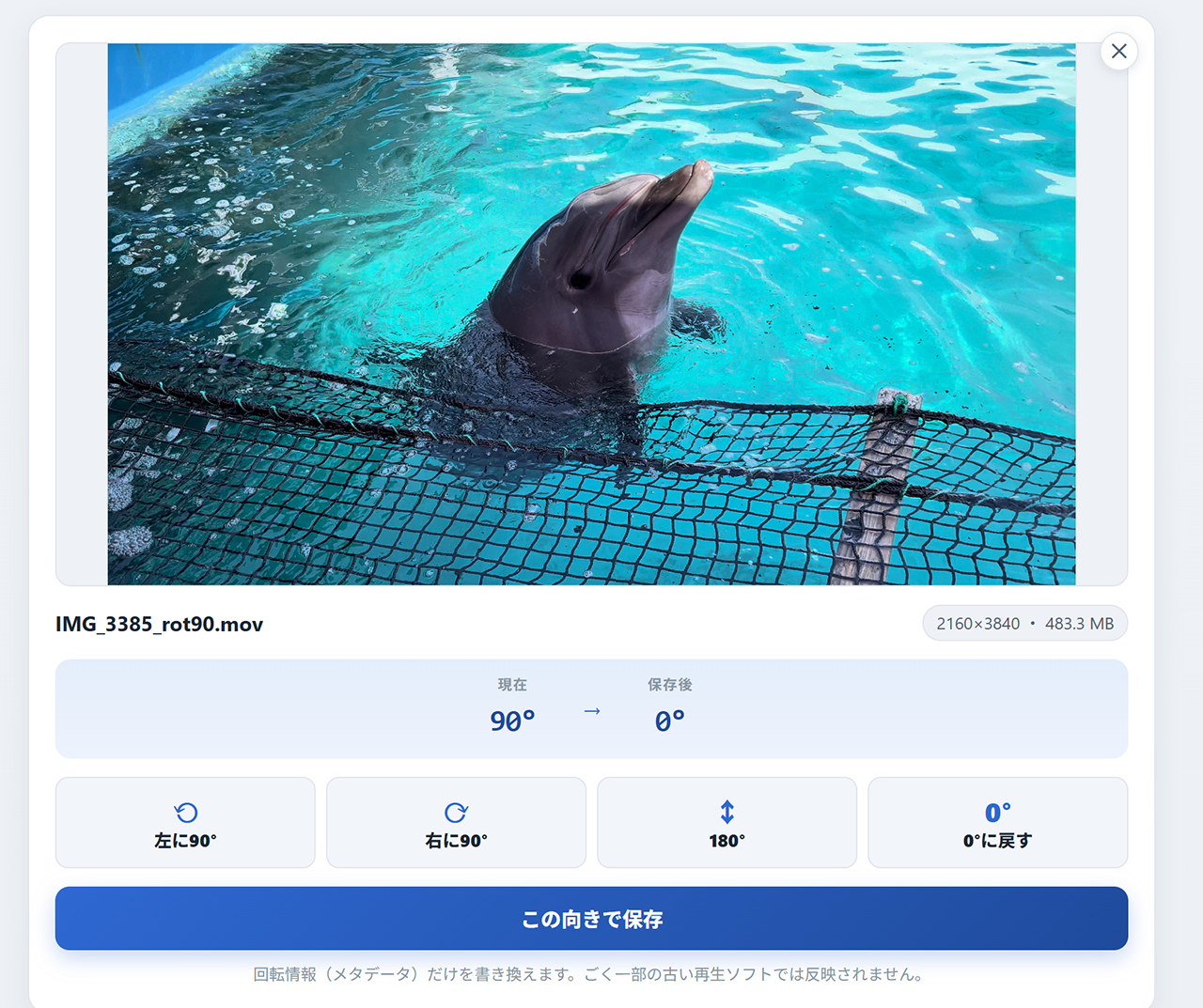
Phone videos carry a little piece of info (a rotation flag) that tells players which way is up. When that flag is off, your video ends up sideways wherever you post it. The footage itself is fine, so rewriting just the flag fixes it in an instant. Nothing gets re-encoded, so the quality stays exactly the same.
- Open Yokotate and pick your video (MP4 or MOV)
- Rotate until the preview looks right
- Export. It only takes a few seconds
Torimeru | Crop the edges & trim the start and end losslessly
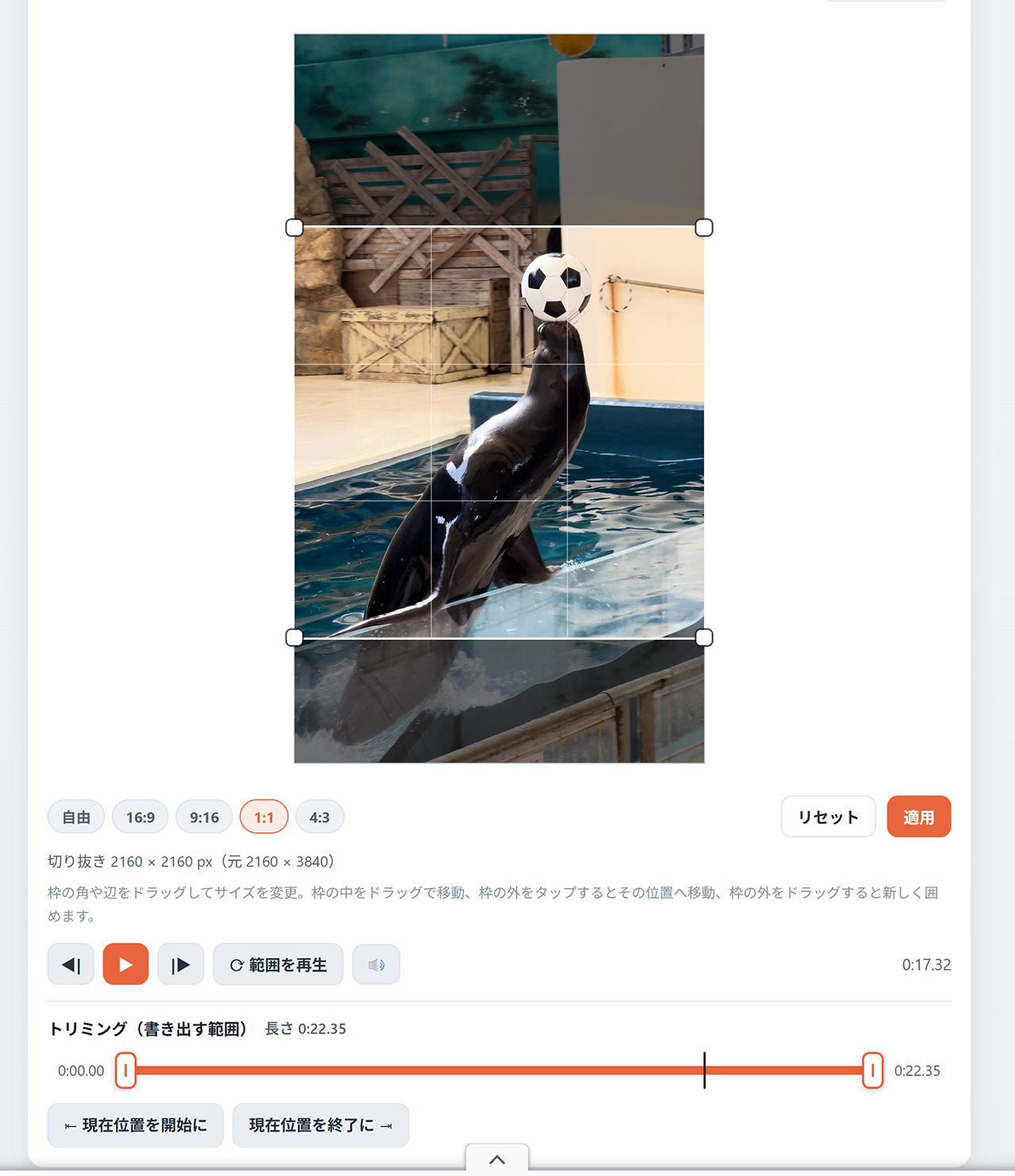
If a stranger or something unwanted has crept into the edge of the frame, you can simply crop it out. When you'd rather it just wasn't in the shot at all, that's often cleaner than covering it up.
On top of that, Torimeru is the only tool here that can trim the start and end without any quality loss. You can cut off the shaky bit right after you hit record, or the pause at the end before you stopped, without re-encoding the video.
- Open Torimeru and pick your video
- If something unwanted is at the edge of the frame, set the area to keep (crop)
- To trim the start and end, set where the part you want to keep begins and ends
- Export
Tsuibi Mozaru | Hide faces & license plates
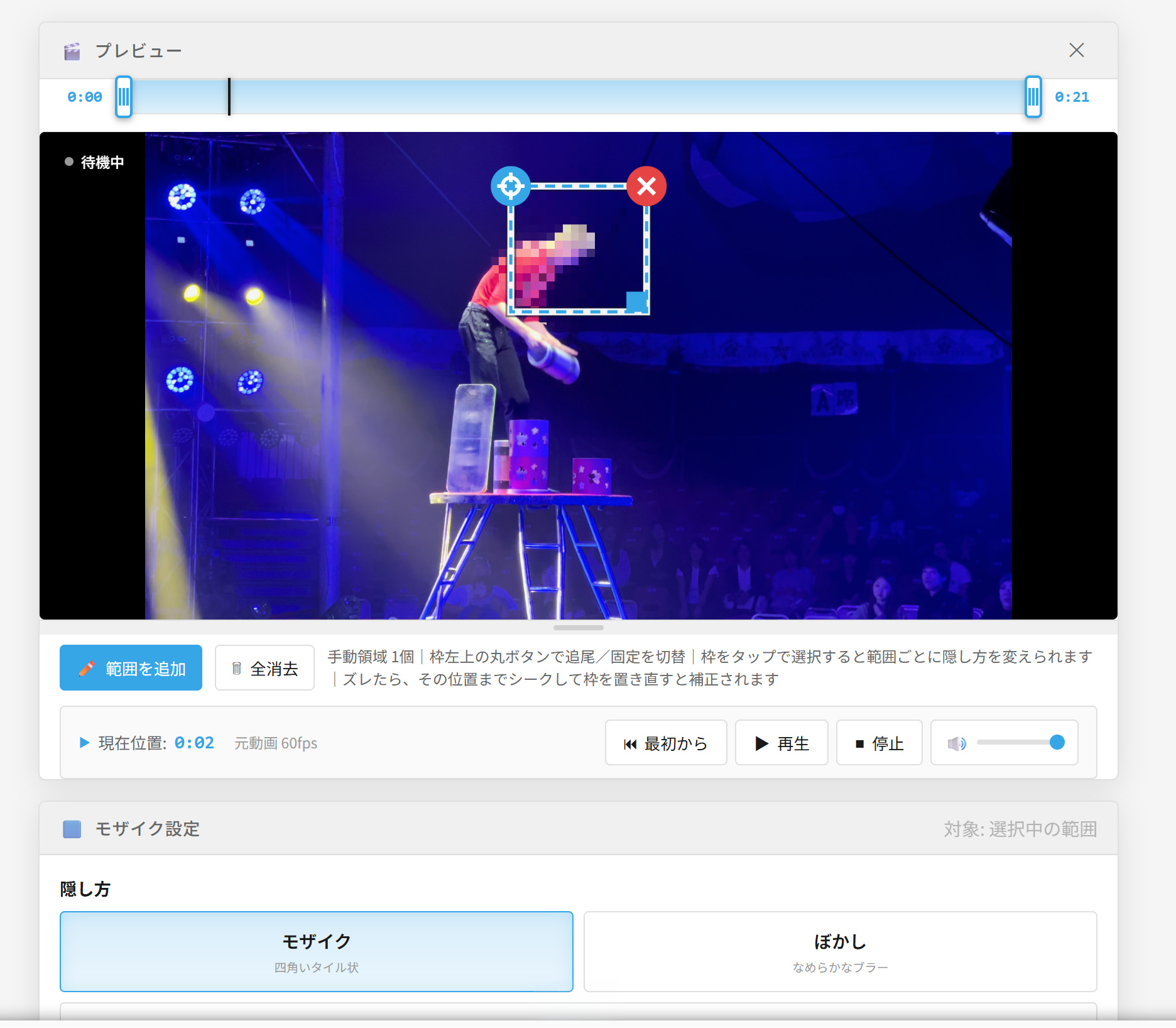
For street footage, where people tend to wander into the shot, this is the tool you'll reach for most. Just draw a box around what you want to hide, and the mosaic follows it automatically as it moves. No need to adjust the position frame by frame. For things that don't move (house nameplates, signs and so on), you can also choose a fixed mosaic that doesn't track.
- Open Tsuibi Mozaru and pick your video
- Draw a box around what you want to hide (as many as you like)
- Choose how to hide it: mosaic, blur, fill or stamp. You can set the strength for each area, too
- Check in the preview that the tracking stays on target, then export
Otokeshi | Mute or bleep out conversations
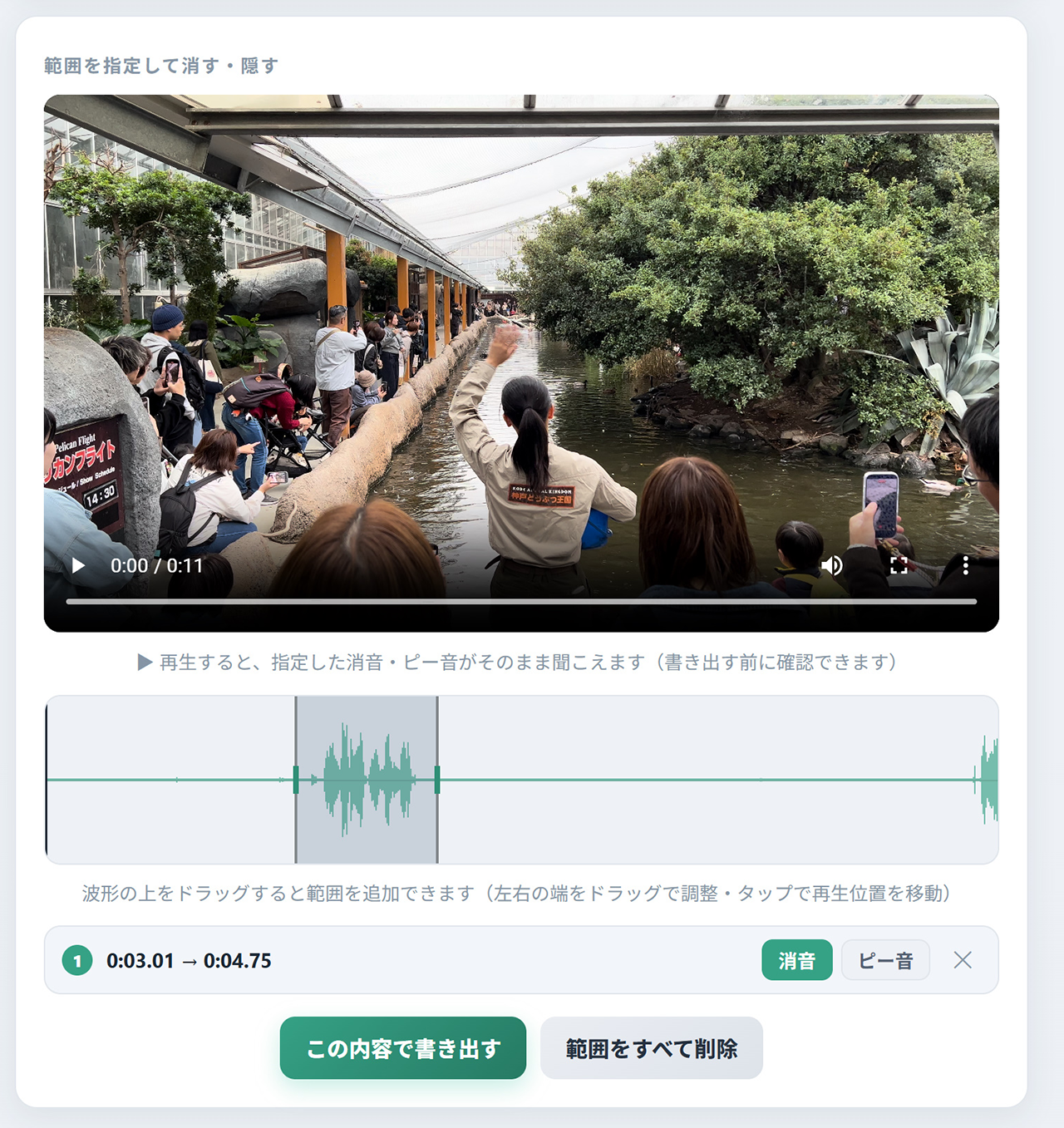
Even when the picture is fine, the audio often gives away personal info. You can mute the whole thing, or pick ranges and silence or bleep out just those parts. The video track is simply copied, so the picture quality doesn't change. If you plan to add music on the platform you're posting to, muting the whole video first makes things easier.
- Open Otokeshi and pick your video
- Choose the whole video, or the ranges you don't want heard
- Choose "Silence" or "Beep" and export
Shizuka | Reduce wind & background noise
For talking videos shot outdoors or somewhere noisy, using AI noise removal to keep just the voices makes them much easier to listen to. You can load the video as is; the picture stays untouched (lossless), and only the audio is processed and swapped in.
- Open Shizuka and pick your video
- Run the processing and compare it with the original sound
- Export
Chidimeru | Shrink the file size
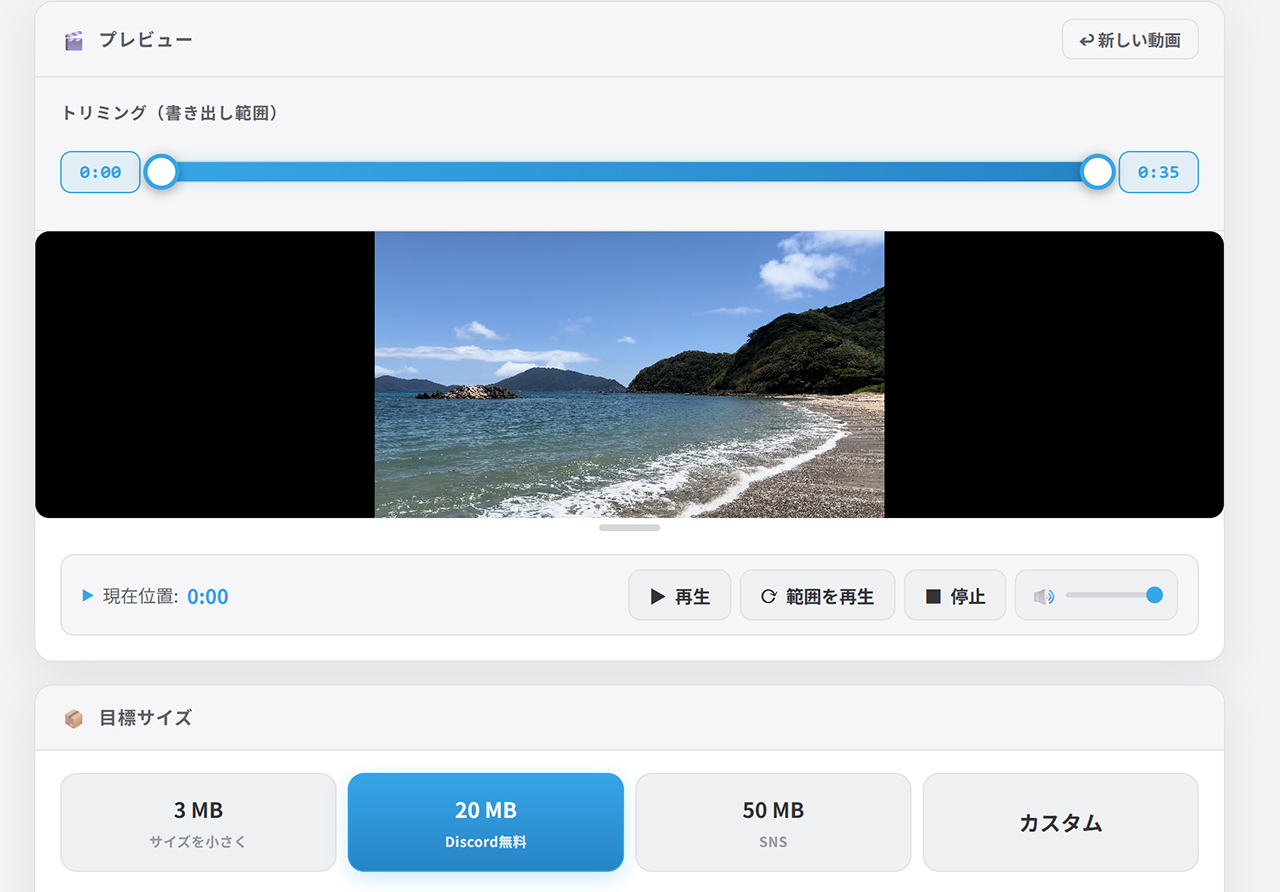
Set a target like "under X MB," and it automatically fits the video into that size at the best quality possible. Just enter the limit for wherever you're posting. You can also trim the start and end while compressing (the trimmed part is re-encoded along with the compression).
- Open Chidimeru and pick your video
- Enter a target size (use the table below as a guide)
- Compress and download. Now it's ready to post
Rough size guide by platform
| Where you're sending it | Target | Notes |
|---|---|---|
| Discord (free) | 20MB or less | 8MB or less for servers with older settings |
| LINE | As small as you can | There's also a length limit (5 min), so trim first |
| X | Tens of MB and up | Free accounts are limited to 2 min 20 sec |
| Instagram Reels | Tens of MB and up | Expects vertical (9:16). Don't forget to fix the orientation |
| TikTok | Tens of MB and up | Vertical (9:16). Compress it if uploads are slow |
| Email attachment | 10–20MB or less | Also watch out for the recipient's inbox limit |
* Rough guide as of October 2026. Each service's limits may change. When in doubt, go smaller.
The 6 tools at a glance
| Problem | Tool | Video quality | Formats |
|---|---|---|---|
| Sideways or upside down | Yokotate | Unchanged (only the orientation info is rewritten) | MP4 / MOV |
| Unwanted stuff at the edges / trimming the start and end | Torimeru | Cropping re-encodes / trimming alone keeps it unchanged | MP4 / MOV |
| Strangers' faces, license plates | Tsuibi Mozaru | Re-encoded with the mosaic added | MP4 / MOV |
| Conversations or names are audible | Otokeshi | Unchanged (only the audio is processed) | MP4 / MOV |
| Wind or background noise | Shizuka | Unchanged (only the audio is processed) | Video / Audio |
| Too big to send | Chidimeru | Compressed to fit the target size (use it last) | MP4 / MOV / WebM |
FAQ
Do I need to use all of these tools?
Can I do all of this on my phone?
Are my videos uploaded to a server?
Can I use the .mov file straight from my iPhone?
I want to sharpen a blurry video before posting it
I just want the audio from a video
About the author

More free browser tools
Image, video and audio tools, all in one place. No sign-up, no upload.